
Data entered in Excel will automatically be separated by dots or commas. Users can use those to separate units in the sequence more clearly. However, if in a document the unit separator is not uniform, you need to switch back to the same type of sign. The following article will guide you how to convert […]
microsoft office
How to create an underline styles in word
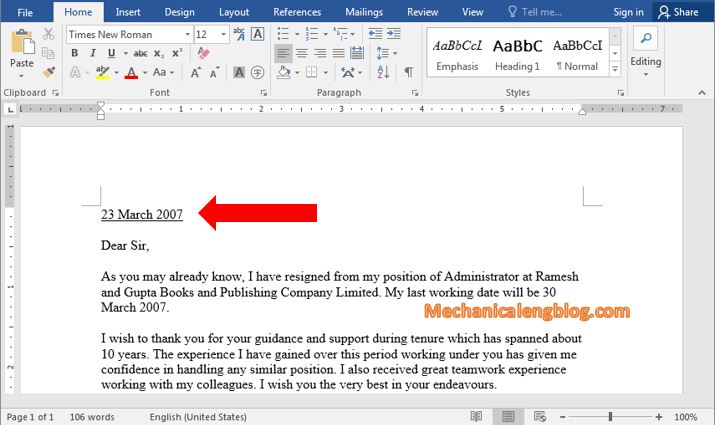
When editing texts, sometimes to make some words or lines stand out, we often think of using underline. If you want to underline a text or even underline it with dashes to make it looks better. What do you do? So in today’s article, I’m gonna show you create an underline styles in word or […]
How to take screenshot in word document
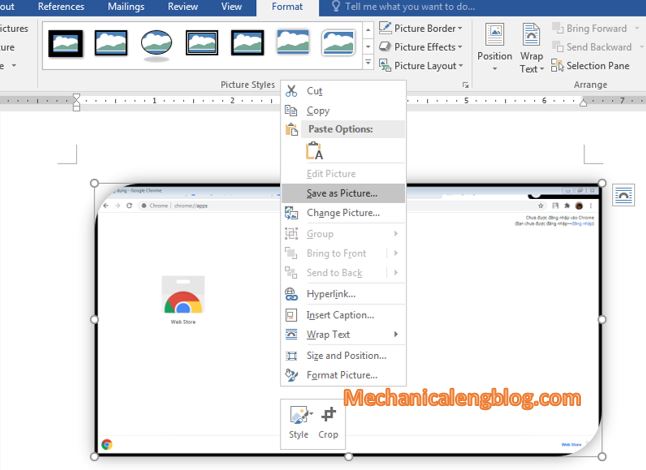
We may have heard of many computer screen capture software, or already know about the use of the Print-screen key on the keyboard, they are not only useful but also professional tools. But did you know that in a familiar application we often use like Word also has this screen capture function? Furthermore, you can […]
How to create dotted lines in Word very quickly

Have you even wondered, create dotted lines in Word might be very easy, just press the dot button in the keyboard over and over? But that work takes so much time and very unprofessional, so I won’t encourage you to do it. May you like: draw broken line in word. How to create dotted lines […]
change cell background color in excel by equal formulas
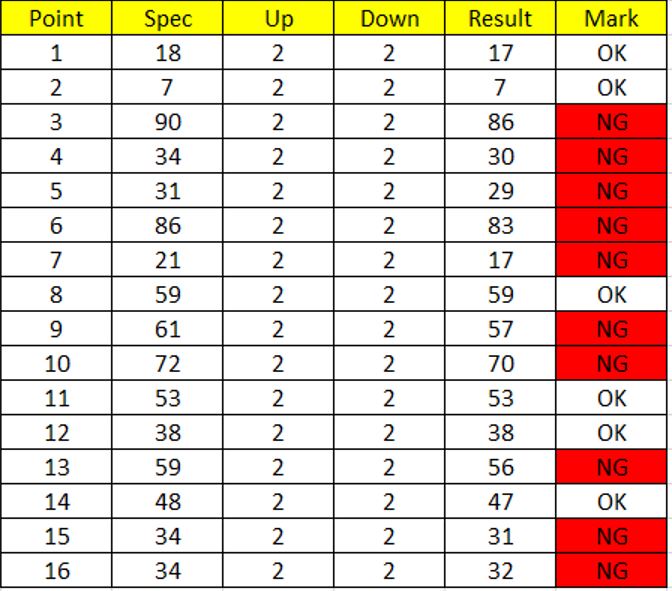
In this article, I will show you how to change cell background color automatically in excel with Conditional Formatting tool. Conditional formatting: Easily spot trends and patterns in your data using bars, color, and icons to visually highlight important values. When working in Excel, have you ever faced with complicated and sometimes repeated data? A […]
How to set password for a Word document

There are many reason why you must set a password for your word document, such as sharing computer with many people, important data files, or you have a private document and you just don’t want anyone to open it. For those who work in the office, setting a password is probably very familiar and necessary. […]