
Have you ever lost you word data because not always we remember to save it? This tutorial will show how to automatically create backup in Word. During Word processing, sometimes you may encounter situations like power outage or a sudden shut down…This can cause file corruption or even file loss. Or when you are presenting […]
word tips
How to hide and show a paragraph in word

In this tutorials, I will guide to you how to hide and show a paragraph in word. Why we need to hide it? When editing text, sometimes we don’t want someone to see one paragraph or you don’t really want it to be there but you also don’t want to delete it either. You can […]
6 ways to remove background color in word
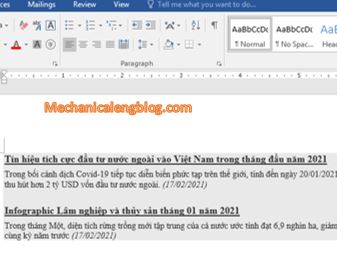
In this post, I will show to you 5 ways to remove background color in your word document. In many case, when download or copy texts online and paste it into the Word application, you may find it still retains the original formatting like the background color, the font, … This sometimes brings discomfort and […]
3 ways to center text in word table
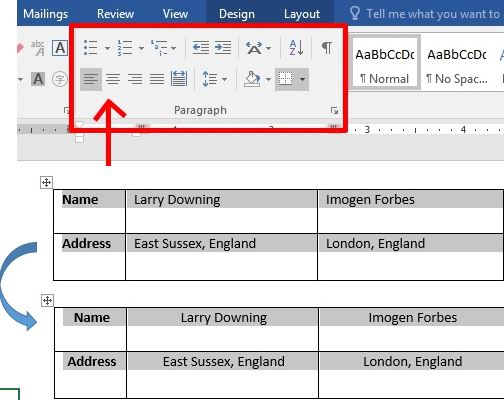
When working with tables, we must align the content so that it is nice and neatly . If you are a newbie to Word, please follow the article below to learn this very basic knowledge of how to center text in cell word table. Here I am using the version of MS Word 2016. With […]
3 ways type text in the margin in word document
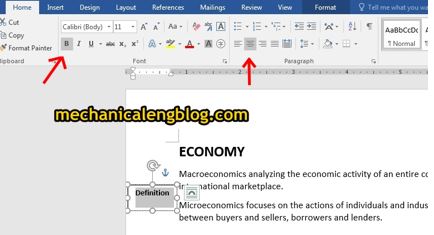
MS Word users ever wondered if you could type a text in the margin? Or you are working on a project and want your document to looks better? There are three ways you can put your text in the margin. I.Type text in the margin by using text box. “Text Box” can moves a paragraph […]
how to add a drop cap in word document

Have you ever read a magazine or newspaper? If yes, I bet you have seen this, the first letter of a word is magnified, to make it stands out. How to add a drop cap in word document? Drop Cap is one of MS Word’s feature to show you how to do it, very simple […]