
In inventor fillet command used to add fillets or rounds to one or more edges or faces. Rounds off or caps interior or exterior comers of a component or features of a component. You can create edge, face, or full round fillets. Where do I find it? From the 3D modeling ribbon -> modify -> […]
inventor command
Inventor emboss command tutorial
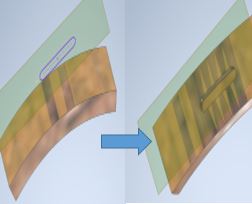
In inventor emboss command use to create a raised or recessed feature from a profile. You can specify the emboss depth and direction. A raised emboss can provide a surface for a decal or painting. A recessed emboss can provide clearance for another component.
Inventor rib command tutorial
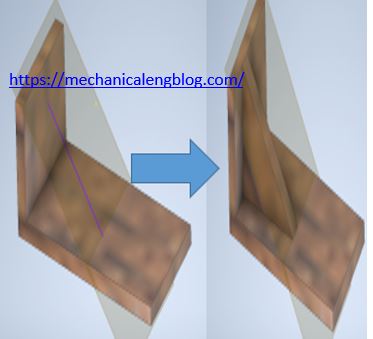
In inventor rib command used to create rib (thin – walled support shapes) using an open or closed profile.The profile can be projected to the next face or an explicit thickness can be specified.
Inventor loft command tutorial

In inventor loft command use to create a transitional shape between two or more sketched. Select a series of profiles to define the shape. You can select rails or a center line to refine the shape further. Point mapping prevents twisting. You can use loft to create new bodies.
Inventor sweep command tutorial
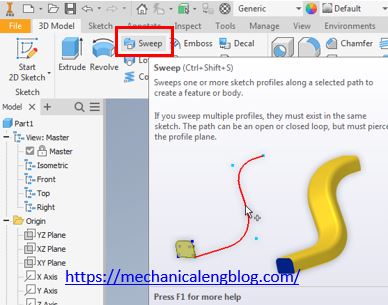
inventor sweep command use to sweep one or more sketch profiles along a selected path to create a feature or body. If you sweep multiple profiles, they must exist in the same sketch. The path is an open or closed loop, but must pierce the profile plane Where do I find it? From ribbon bar: […]