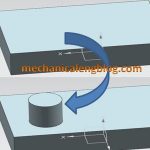
In the siemens nx modeling, boss command use to create a boss on a planar of a solid body. This tutorial I will guide this command. This command is active until nx 11 You are reading a guide how to add a boss in Siemens NX. Click here to read all design feature in Simens NX. […]
design feature
Siemens nx modeling create a pocket
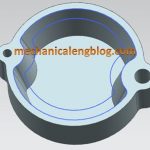
In the Siemens nx modeling, we can create a pocket following: Cylindrical, rectangular, general by pocket command. It uses to remove material from a solid body or modifies a sheet body with faces made by projecting a section along a vector. This command is active until the Siemens nx 11. You are reading a guide how […]
Siemens nx how to use rib command
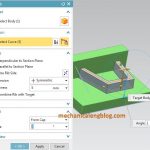
In the siemens nx, rib command use to add a thin-wall or rib network by extruding a planar section to intersect a solid body. Where do I find it? From the menu (Top border bar): Insert -> design feature -> rib. From the home tab: Feature group -> More gallery -> Design feature gallery -> […]
How to create a hole in siemens nx

In the siemens nx modeling, hole command use to create a hole on one or more solid bodies in a part or assembly with option for counterbored, countersunk, and threaded. With hole command, you can make:General holes, Drill holes, Screw holes, Threaded holes, Holes on non-planar faces,…
siemens nx how to use dart command
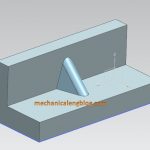
In the Siemens nx modeling, dart command use to add a dart feature along the intersection curve of two sets of faces. This post will show how to use dart command.