• Skip to main content
  • Skip to secondary menu
  • Skip to primary sidebar

Mechanicaleng blog

siemens nx tutorial & injection molding technology

  • Plastic molding
  • Siemens nx
    • nx modeling
    • nx drafting
    • nx sketching
    • nx assembly
  • Mechanical basic
    • mechanical standard
    • Mechanism video
  • microsoft office
    • microsoft word
    • powerpoint
    • excel tips
  • About me
  • CONTACT ME

nx modeling

Siemens nx guide how to create a datum plane

November 1, 2018 by mechanicaleng blog Leave a Comment

In siemens nx, a datum plane is a planar reference feature. Datum planes can be relative or fixed. It uses to create other features such as swept body, features at angle to the faces of target solids. This post mechanicalengblog.com will explain how to create a datum plane.

Siemens nx surface how to use through curves command

October 30, 2018 by mechanicaleng blog 1 Comment

siemens nx surface through curves command

In Siemens nx surface, through curves command use to create a body through multiple sections where the shape changes to pass through each section. Sections are curves, points, solid edges, solid faces.

Siemens nx guide how to use datum axis command

October 29, 2018 by mechanicaleng blog Leave a Comment

siemens nx modeling tutorial datum axis command guide

In siemens nx modeling, datum axis command use to create a datum axis used to construct other features. It can use to create datum planes, revolved feature, and circular arrays. Datum axis can be either relative or fixed.

siemens nx modeling how to use draft command
October 28, 2018 by mechanicaleng blog Leave a Comment

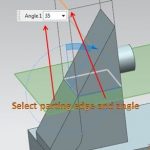
create a draft from parting edge select parting edge and angle

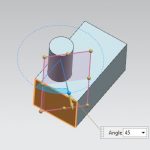
In siemens nx modeling, draft command use to modify faces by changing the angle relative to a draw direction. Draft command is available in the modeling application.

Siemens nx how to use thicken command
October 24, 2018 by mechanicaleng blog Leave a Comment

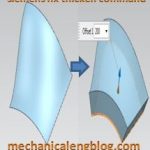
siemens nx modeling thicken command

In Siemens nx modeling, thicken command use to create a solid body by adding thickness to a set of faces.  Thickening occurs by offsetting the selected faces along face normal and then creating side walls.

Siemens nx surface how to use ruled surface command

October 24, 2018 by mechanicaleng blog Leave a Comment

siemens nx surface ruled surface command

In siemens nx mesh surface, ruled surface command use to create a body between two sections where the ruled shape is a linear transition between the sections.

« Previous Page
Next Page »

Primary Sidebar

Recent Posts

  • 10 things to succeed in mechanical engineering
  • what is tapered roller bearings structure
  • What is a flange connection
  • What is a Stainless Steel Flexible Joint
  • Gearbox – What You Need To Know
  • Gearbox Lubrication | 2 types lubricant
  • stainless steel | 4 types and identify
  • Plastic milling – simple but not simple
  • what is spur gear | introduction
  • Mechanical engineering skills from training process

Copyright © 2026 · Magazine Pro on Genesis Framework · WordPress · Log in