
In this tutorial, I will guide to you how to create dummy Text in word with RAND, RAND.OLD, and LOREM.It will will help you in designing, formatting or editing but actually a quite fun trick to try. Compare to Excel, Word is very limited in functions for users and all those functions are limited to […]
microsoft office
how to do page numbering in word
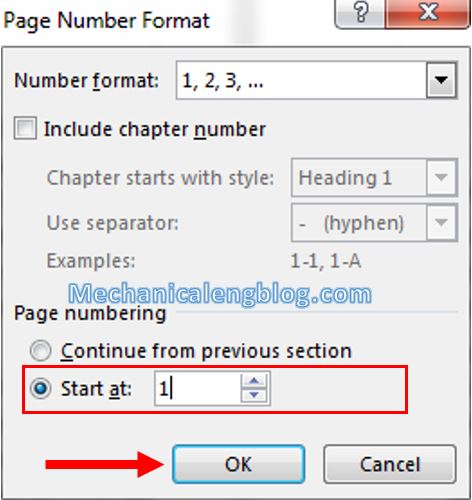
In this tutorial, I will show to you more about page numbering in word as number all pages except for first page, numbering page from any page, Change the start number, … We have talked about page numbering before, numbering for each section. Today will be some additional options for numbering page, such as you […]
How to use tell me feature in Word 2016
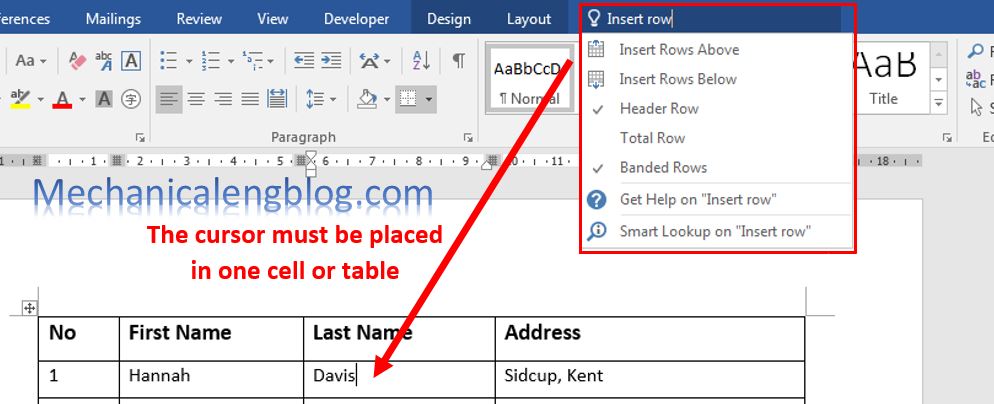
Tell me feature in Word is a tool where you can type words and phrases about what you want. It will opens up the options you need in a blink of an eye, instead of merely telling you where they are located. If you are using Office 2016, did you know, to make finding tools […]
how to create marco in ms word
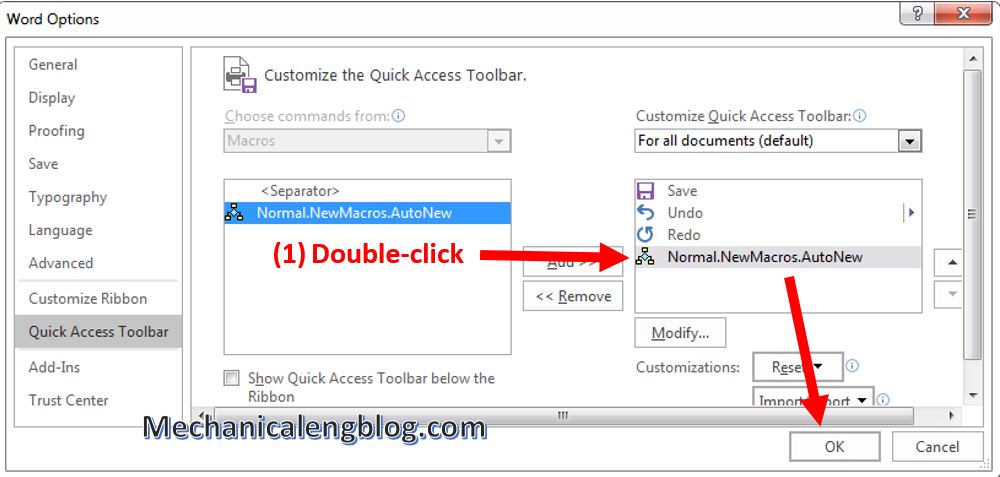
In this post, I will guide how to create Marco in ms Word.It will help yor work fastly and save your time. Macro is a command that executes the script of a job, is integrated in Word which can automatically run when you have created, helping you perform repetitive tasks in Word without having to […]
How to hide personal information in Word
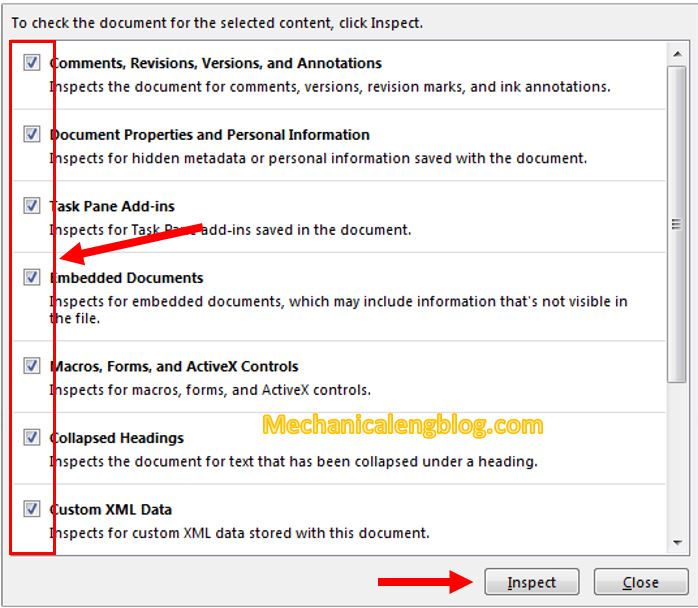
In this post, I will guide to you how to hide personal information in word 2016. It will hide writer’s name, date of writing, editing … In the process of editing Word documents, when saving documents, Office always implicitly saves some text-related information such as: writer’s name, date of writing, editing … If the document […]
How to turn off Compatibility mode in Word

In this tutorial, I will guide to you how to turn off Compatibility mode in Word? You can turn off by compatibility mode, word options setting, delete Normal.dotm, edit in Registry,… When open a document in Word, sometimes you may see the text: Compatibility Mode in the Title bar next to the document name. This […]