In this tutorial I will guide to you how to turn on dark mode powerpoint. It is easy to change office theme as you like.
As well as smartphone, TV, if you use them for too long, the blue light will adversely affect your eyes. But there are days when there are too many deadlines, and you have to stay up all night to complete them with no other way, while Office’s interface is too bright and easily causes pain and eye strain. Then, the temporary solution for you is to switch your Office into a Dark mode, which will help your eyes be less tired. Let’s see how to do it.
You can apply this on every Office application and any versions. Basically they work the same. I will do it in PowerPoint for example.
I. Turn on Dark Mode PowerPoint Options.
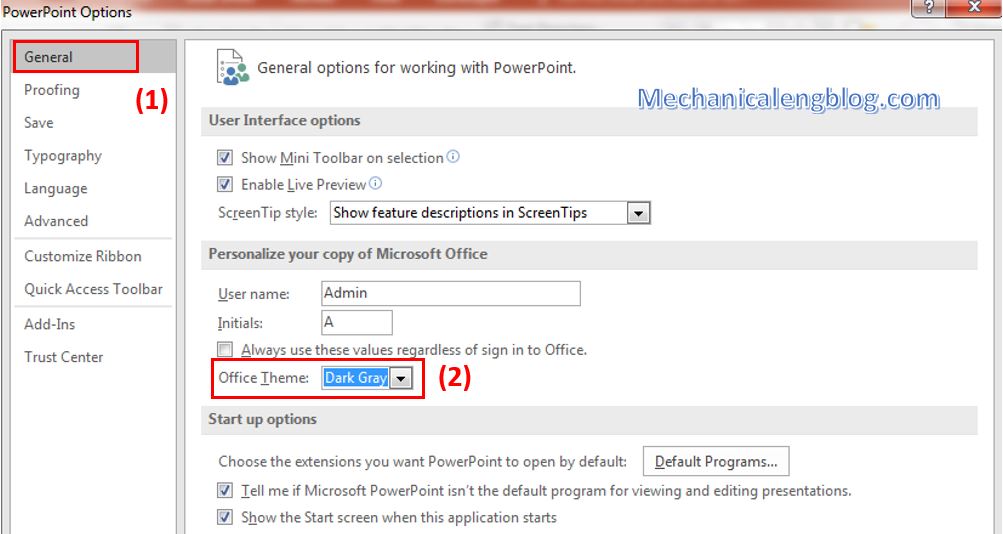
Step 1: In PowerPoint interface, go to File and choose Options.
Step 2: In General tab, look for the Personalize your copy of Microsoft Office. You can see the Office Theme section, click on it to choose a different theme for your Office, in this case I will choose Dark Gray.
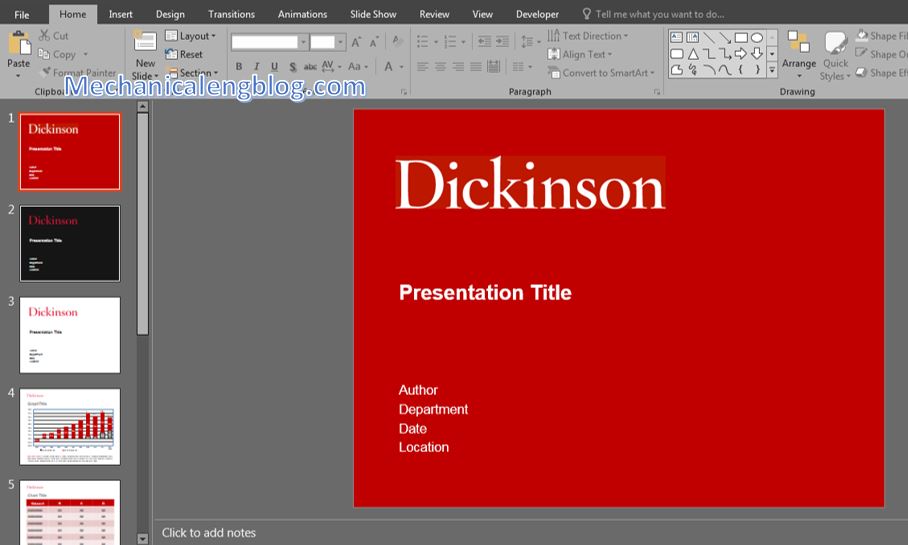
Now the interface has been changed to a dark theme.
II. Turn on Dark Mode in Account.
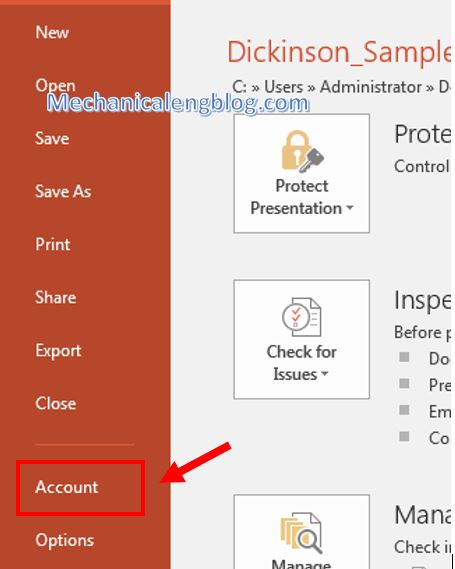
Step 1: First you also go to File, then select Account.
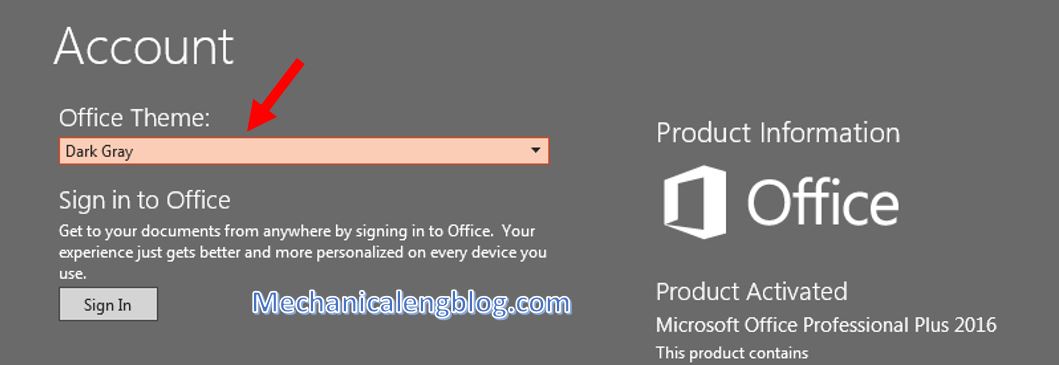
Step 2: You will see the Office Theme section right away. Click the arrow and choose Dark Gray as the new Theme. The result will be shown immediately and exactly the same as above.
CONCLUSION
So that’s all about how to turn on the Dark Mode for Office interface to help protect your eyes. However, please avoid working too long and too late on the computer. You can also switch the interface to another color, because otherwise working with a dark theme in a too bright environment is not good either.
Thank you for reading, please look forward to more interesting articles.
-hhchi



Leave a Reply