• Skip to main content
  • Skip to secondary menu
  • Skip to primary sidebar

Mechanicaleng blog

siemens nx tutorial & injection molding technology

  • Plastic molding
  • Siemens nx
    • nx modeling
    • nx drafting
    • nx sketching
    • nx assembly
  • Mechanical basic
    • mechanical standard
    • Mechanism video
  • microsoft office
    • microsoft word
    • powerpoint
    • excel tips
  • About me
  • CONTACT ME

mechanicaleng blog

new role in nx create edit copy

December 15, 2018 by mechanicaleng blog Leave a Comment

create new role in nx

Role in nx use to provide content and layout, shortcut key or user interface presentation This post, I will guide how to create new role in nx. I. Standard role in nx. 1. Content roles. + Advanced: The advanced role provides a wider set of tools to support straightforward and advanced tasks. + Cam advanced: […]

how to use geometric constraints in nx

December 15, 2018 by mechanicaleng blog Leave a Comment

siemens nx sketching geometric constraints tangent

In the siemens nx, geometric constraints command use to add geometric constraints to sketch geometry. These specify and maintain conditions for or between the sketch geometry.   I. Where do I find it? 1. From  the menu(top border bar): insert -> sketch constraints -> geometric constraints. 2. From left border bar: Direct sketch group -> […]

How to change background color in nx

December 10, 2018 by mechanicaleng blog Leave a Comment

change background color in nx

There are three methods to change background color in nx you can follow change customer defaults setting, change background in preferences, or change model template.

Siemens nx surface sheet from curves
December 9, 2018 by mechanicaleng blog Leave a Comment

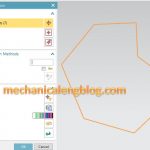
siemens nx surface sheet from curves select curves

In the Siemens nx surface, sheet from curves use to create sheet body though curves. I will show how to use sheet from curves command.

siemens nx how to use bridge curve command
December 9, 2018 by mechanicaleng blog Leave a Comment

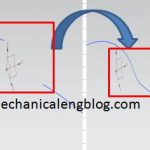
siemens nx modeling bridge curve command

In the Siemens nx, bridge curve command use to create a tangent blend curve between two objects. This post will explain how to use bridge curve command.

How to create a hole in siemens nx

December 8, 2018 by mechanicaleng blog Leave a Comment

create a hole in the simens nx

In the siemens nx modeling, hole command use to create a hole on one or more solid bodies in a part or assembly with option for counterbored, countersunk, and threaded. With hole command, you can make:General holes, Drill  holes, Screw  holes, Threaded holes, Holes on non-planar faces,…

« Previous Page
Next Page »

Primary Sidebar

Recent Posts

  • 10 things to succeed in mechanical engineering
  • what is tapered roller bearings structure
  • What is a flange connection
  • What is a Stainless Steel Flexible Joint
  • Gearbox – What You Need To Know
  • Gearbox Lubrication | 2 types lubricant
  • stainless steel | 4 types and identify
  • Plastic milling – simple but not simple
  • what is spur gear | introduction
  • Mechanical engineering skills from training process

Copyright © 2026 · Magazine Pro on Genesis Framework · WordPress · Log in